Prices and payment
How does a file service close its month?
How a file service closes a month on its portal: invoices already written, payments checked, tuners paid from a ledger and dealer accounts read.

In short
Most of the month is already closed when it ends, because the portal wrote each invoice and each charge as the work happened. What is left is to check the provider's statement against the portal, pay the tuners from their ledger and read each dealer's account.
The first Monday of the month used to be lost. The owner of a file service with two tuners on commission and three dealer workshops would sit down with the card provider's export, a folder of invoices, a spreadsheet of who tuned what and three chat threads about what each dealer owed. By the evening the numbers nearly agreed, and nobody could say why they did not quite.
This is the same Monday on a portal. The work has not gone away, but most of it was done during the month, one job at a time, by the portal itself. What remains is checking, paying and reading, and it fits in a morning.
What is already done when the month ends?
The invoices. Every time a customer bought credits or paid for an order in the activation shop, the portal wrote the invoice as the payment was confirmed. That is the setting make invoices automatically, and with it on, there is no pile to write on the first of the month. The invoices and VAT page covers the whole area.
Each number is made of three parts: the letters the shop chose as its invoice number prefix, the year, and a running number for that year. The shop chooses the letters and the portal keeps the count.
The tax was worked out on each sale too, from the customer's billing country and the shop's, by the rules the shop switched on with its accountant: charge VAT or not, the small business exemption or not, the reverse charge for businesses in another EU country or not. Where the rate is zero, the invoice carries the reason. The portal applies the rules; it does not decide which ones apply to a business. That stays with the accountant.
So the first job of month end is a short one: open the invoice list and look at it. If the shop has linked Lexware or Holded, each invoice has been sent on already, by hand from the list or by itself, and the books hold the same invoices under the same numbers. An invoice the accounting software gave an error on says so on its row, and can be sent again from there. A shop on other software exports its invoices.
One limit to keep in mind. An invoice is written for a credit purchase or an activation shop order paid on the portal. A job paid in cash at the counter has no invoice here unless it was recorded as a purchase. If the shop took cash during the month, that is the thing to look for now.
How do you know every payment arrived?
By comparing two records that were kept by two different parties. The card provider knows what it collected. The portal knows what it recorded. Reconciliation checks, once a month, that the two agree. It sits under Money in the menu, comes with Business and above, and is described on the payments page.
A few days into the month, when the provider's statement for the month before is complete, the owner exports it from the provider and uploads it. The portal reads it and sorts every line into one of four groups, and shows the match rate for the run. It changes nothing. The owner decides what to do about a difference.
In our shop's last month, nearly everything matched and four lines were open. Two were payments the shop had returned to customers on the provider's side; the owner marked them as expected, with a note. One was a test. The fourth was the one that matters: a payment the provider had collected and the portal had never seen. The customer had paid and had no credits. The owner sent the provider's message again from the provider's own dashboard, and the customer's credits appeared.
That last case is why the check is worth a quarter of an hour each month. A portal adds credits only when it can trust the provider's message, which is what the webhook secret is for. If a message never arrives, the money is at the provider and the credits are not on the account. Without the monthly check, the shop hears about it from an annoyed customer, or not at all.
Each run is kept, with its four groups, its match rate, who uploaded it and when. The same month can be run again with a corrected statement.
Three things Reconciliation does not do. It corrects nothing by itself. It converts no currency. And it reads the exports of payment providers, not a bank statement.
How are the tuners paid?
From a ledger the portal has kept all month. With tuner accounts switched on and a technician commission set, each completed job writes one line on the ledger of the tuner who did it. The portal turns the job's credits into the shop's currency at the shop's price of one credit and applies the tuner's rate. A job completed twice by accident earns once. Where one person earns a different share, that rate is set on their own account. The commissions and payouts page has the detail.
On payday the owner opens Commissions. Each tuner's row shows the rate, the jobs, what was earned, what was paid out and the balance owed. The owner makes the transfer from the bank, as before. Then, on the tuner's row, he presses Pay, types the amount, attaches the transfer confirmation, adds a note naming the month and submits.
The portal checks the amount against the balance, writes the payout, lowers the balance, and tells the tuner by email and in the portal, with the amount and the note. The question that used to come up in the workshop, whether March was paid, is now a row anyone entitled can open.
| Month end task | Before | On the portal |
|---|---|---|
| Invoices | Written in a batch | Written as each payment is confirmed |
| Payments | Compared by eye | The provider's export, sorted into four groups |
| Tuners' pay | Counted from a spreadsheet | A ledger line per completed job |
| Dealer accounts | A total in a chat | A statement both sides read |
Sometimes a line is wrong. A job was completed under the wrong tuner, or a file had to be redone by a colleague. The owner opens the tuner's ledger and writes an adjustment, plus or minus, with its reason. Nothing is edited after the fact: a payout, once recorded, is not changed, and a mistake is put right by an adjustment or by the next payout and its note.
The limits are plain. The portal records a payout; it does not move the money. A payout cannot be more than the balance, so an advance is agreed outside the portal. And commissions are counted on jobs completed after tuner accounts were switched on and a rate was set, so a shop that starts mid-month pays the first part of that month the old way.
What does month end look like with dealers?
A master reads each dealer's statement. A dealer reads its own. They are the same lines.
On the master's side, each dealer's row on the dealers page opens its billing terms and its statement: every job billed, every payment recorded and every correction, with the running balance. The charge for each job was written when the job arrived, at the terms in force that day, so there is nothing to add up at the end. The statement downloads as a spreadsheet file for the accountant. The portal works out what a dealer owes; the invoice to the dealer is the master's to send.
When a transfer has come in from a dealer during the month, a member of staff records it on the dealer's row with a note. If a dealer has gone quiet about a balance, the master can stop its files: the jobs already in work are finished and delivered, and nothing new comes through until things are put right.
From the dealer's chair, the same month is in Your account, described on the dealer account page. The dealer sees the balance, about how many files it still covers and the statement, where each charge carries the dealer's own request number, the car and the services ordered. Its top-ups are in its history, each with its invoice, for anyone who manages the shop.
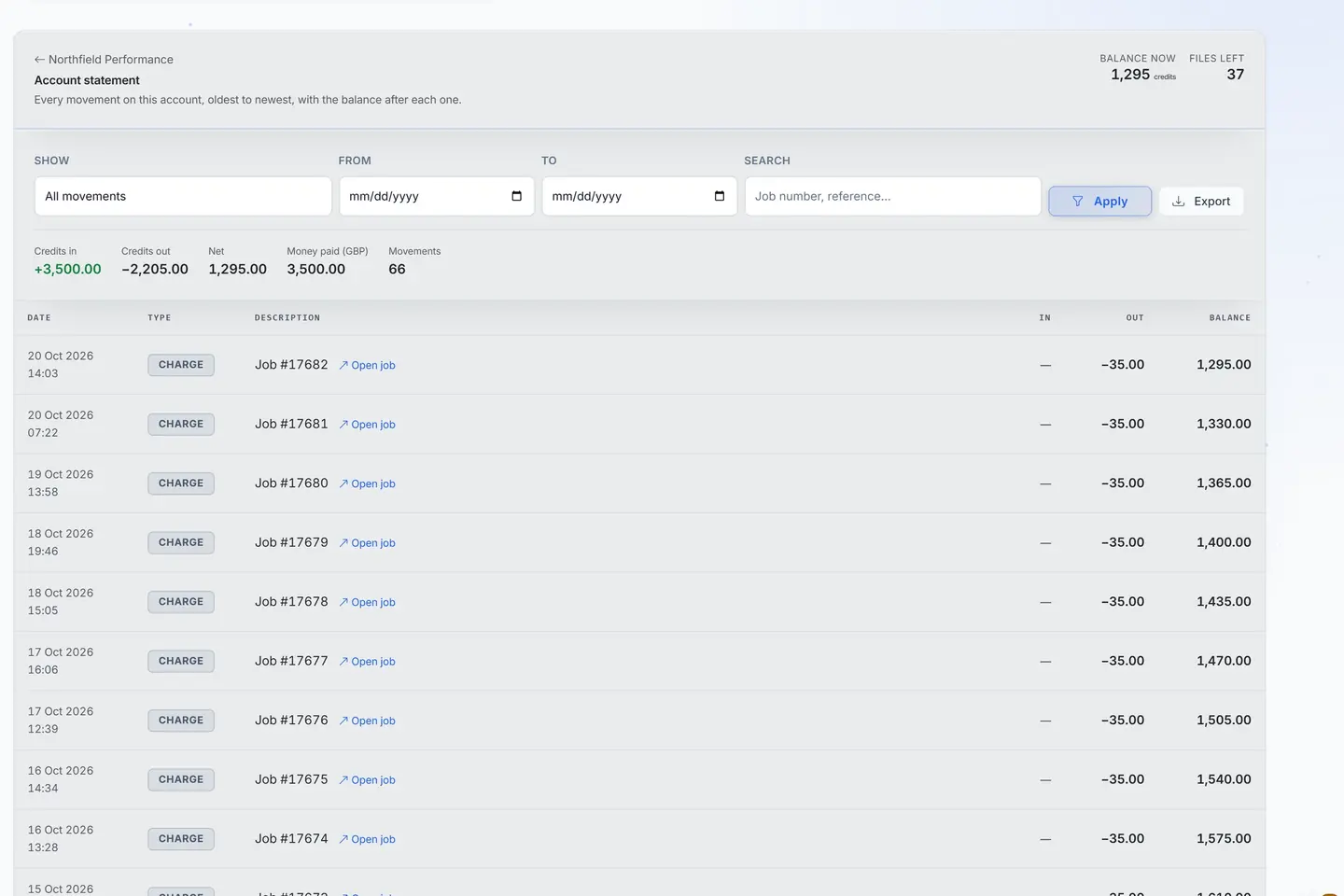
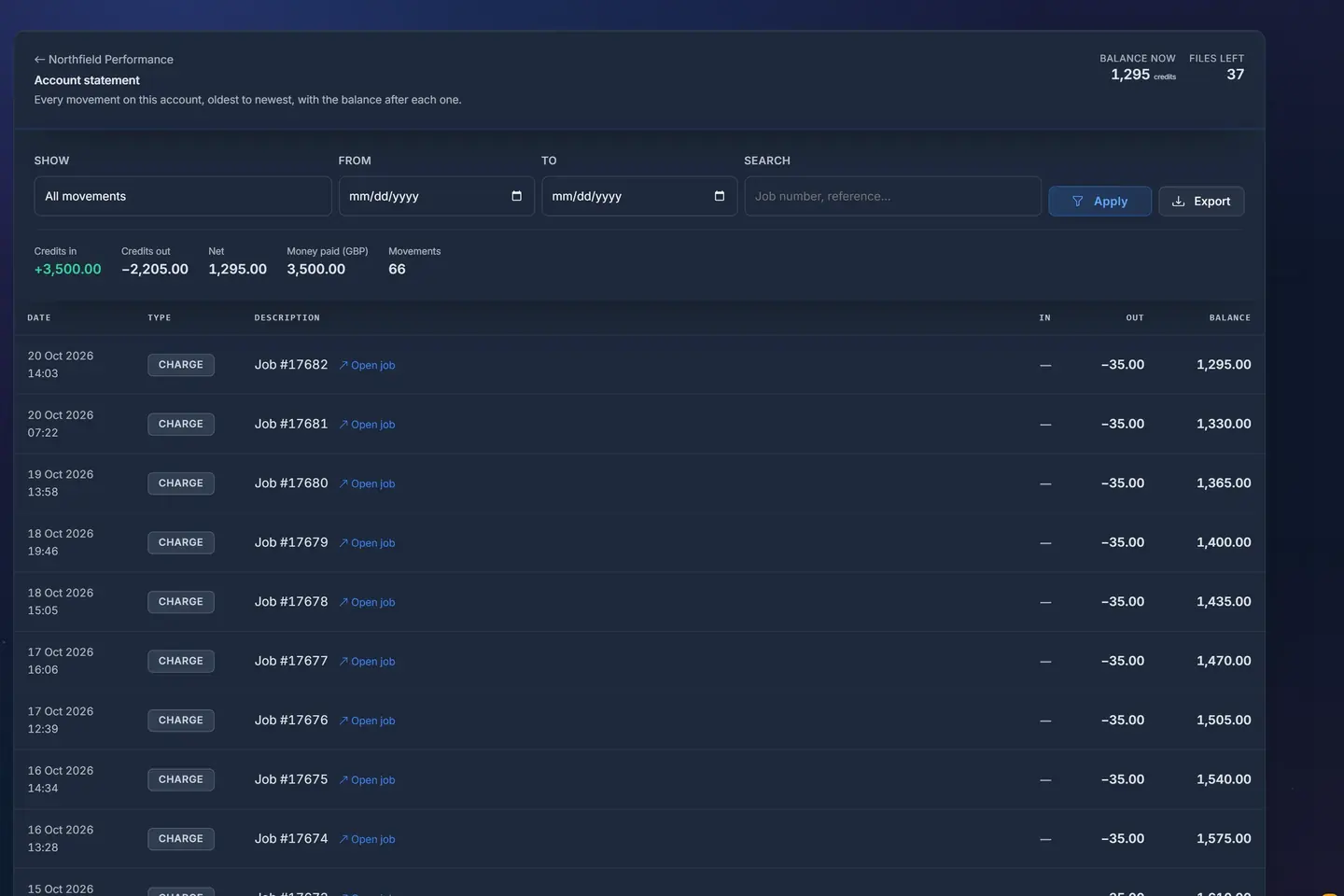
- 1Balance and files leftWhat a dealer has on account and how many files that still buys.
- 2Any period, exportedPick the dates, search a job, export the statement.
- 3Every movement, with its jobEach charge and top-up with the job it belongs to and the balance after it.
A sample shop; your portal carries your name.
If a line looks wrong, the dealer quotes it to the master. Nothing is edited on the dealer's side. A correction is made on the master's side and shows on the dealer's statement as an adjustment, with the master's words, on the next read. Both sides look at the same line, so a question about money takes one message.
A month that was recorded job by job does not need to be reconstructed at the end.
What goes to the accountant?
Four things, and all of them come out of the portal as they are.
The invoices, under their own numbers, already in the accounting software if the shop linked one, or exported if not. The record of the month's Reconciliation run, with the open differences and the note on each. The commission ledger, which exports for the accountant, usually once a quarter. And each dealer's statement as a spreadsheet file.
The owner also gets a summary without asking for it. With the monthly report by email switched on, every administrator gets one email on the first morning of the month about the month that has just ended, with the jobs received and the jobs finished among its figures. It is a good first read before opening anything else.
How long does it take now?
In our shop, a morning. The invoices took ten minutes to look over. Reconciliation took a quarter of an hour, most of it on the one payment that had gone missing. The two payouts took ten minutes, with the transfers. The three dealer statements took the rest, and one phone call.
None of it was typing figures from one place into another. That is the real change. The month is closed by reading what was written as the work was done, and by putting right the few lines that differ.
Questions
Does the portal pay my tuners?
No. You make the transfer from your bank, then record the payout with its proof. The portal keeps the ledger and tells the tuner.
Can Reconciliation read my bank statement?
No. It reads the statement your payment provider exports, and it compares and records without correcting anything.
What if a customer paid cash at the counter?
That job has no invoice on the portal unless it was recorded as a purchase. Check for these at month end.
Can a dealer change a line on its statement?
No. The figures are the master's. A correction is made on the master's side and appears on the dealer's statement as an adjustment.
Which rate applies if I change a tuner's commission mid-month?
A changed rate does not recalculate past lines. The jobs completed before the change keep the share they were written with.
Just need a file tuned? Our own engineers tune a read from any tool for €60 a file, every extra included. Our file service ›
Read next
-
 How does VAT work when you sell tuning files in Europe?Selling files to businesses and to people across borders: the usual VAT rules in plain words, what a portal can do for you, and when to ask your accountant.
-
 How should a master tuner bill its dealers?Per file, credits, monthly statements or a mix: how a master charges a dealer network without spreadsheets or arguments, and who pays for what.
-
 How do you stop chasing payment for tuned files?Late payers cost a file service more than discounts ever do. How to get paid before the work, without offending good customers or losing the regulars.
Name your portal. It is ready in under a minute.
Pro: today you pay this month in full, or only the days left if the 1st is less than 10 days away; then €60 on every 1st.
- Your name and logo
- Files from any tool
- Updates done for you
- Moving in free on paid plans
You can change your portal's address from your account at any time, or add another to the same portal, free. More are coming: tunerengine.co.uk, tunerengine.uk and tunerengine.info, then new short ones made for portals.