Running the shop
What happens to one file, from upload to paid?
One job followed from upload to the paid, delivered file: the order form, the queue, the tuner, the payment, the invoice and who is told at each step.

In short
The customer orders on a form that names the car and the price, the job lands in the queue with everything on it, and the tuner delivers from the job page. The payment, the invoice and every notice along the way are made by the portal, so nobody types the same thing twice.
A small file service has an owner who tunes, one more tuner, and a few dozen garages that send work. On a Tuesday afternoon, one of those garages has a diesel van on the ramp and its owner waiting in the office. The read is on a laptop. This article follows that one file from the moment the garage opens the portal to the moment the shop's books show it as paid, and names the part of the portal that does each step.
What has to be in place before the first file?
Three things, set once. The shop has a price list, because the order form sells only what has been priced: until at least one stage has a price, the form takes no files and says so. The shop has at least one way to be paid, connected to its own account. And it has decided when customers pay: before the work, with the credits taken when the job is sent, or after delivery, when the customer pays to unlock the finished file. That last choice is one for the whole portal. This shop takes payment before the work.
How does the customer pay before sending?
With credits. The garage's balance is low, so the first stop is the Purchase Credits page. The shop has made its packs in Credit Bundles: a small one for the one-off customer, a middle one, and a large one with a bonus. The garage picks the middle pack, sees the total with tax and any fee, and pays by card. The payments page describes each way to pay a shop can switch on, each one connected to the shop's own account.
The card number never touches the portal. The provider takes the payment and tells the portal it is complete, and the portal checks that message against the provider's webhook secret before it adds anything. Then the credits are on the garage's balance. The whole thing takes about a minute, and nobody at the shop has done anything yet.
Where does the invoice come from?
From the same payment. With invoices made automatically, the portal writes an invoice the moment the payment is confirmed. It carries the shop's company details, the next number in the shop's own series, and the tax worked out from the customer's billing country and the shop's. The invoices and VAT page explains each rule.
The garage finds it on its own My Invoices page, first as Pending while the PDF is made, then as Paid with a download. Where the rate is zero, the document says why. The shop writes nothing by hand, and at the end of the year the garage's bookkeeper downloads the whole set without sending an email to ask.
Note what the invoice is for. It is written for the credit purchase, not for each job. The job is then paid from the balance.
What does the customer do on the order form?
The garage opens New Request and drops the read. The portal names the tool the file came from and, where the shop allows it, suggests the car from the file itself. That is the setting called fill in from the file. A suggestion is a suggestion: the customer confirms it, or names the car by plate, by a few words, or step by step.
Once the car and the ECU are known, the price list for them loads by itself. The garage ticks the work, adds the fault codes to clear, a comment for the tuner and a log file, and reads the total. Then it presses Send file. The order form page shows every field the form can ask for, including whether the ECU is required before a request can go.
Because this shop takes payment before the work, the credits leave the garage's balance as the job is sent. The job is paid from its first second.
Files from any tool are accepted on the form. Decrypting an encrypted file inside the portal is a different matter: it is only for a master on Alientech or AutoTuner, on that master's own account.
Who at the shop finds out, and how?
Whoever the shop chose. Every new file becomes a notice, and the notifications page covers who gets it and by which way: email, the bell in the portal, a sound, a push or Telegram.
This shop leaves new jobs with the staff who can take them. The portal page on the workshop computer plays the sound for jobs, which is a different note from the one for payments, so the owner can tell a new file from money arriving without looking up. The second tuner, who is often at the dyno, gets a push on his phone. Sounds need an open portal page, so for a closed browser the shop relies on push.
The setting decides who is interrupted, not who can see. The queue still shows every open job to everyone who may work it.
What does the tuner see in the queue?
The job, complete. It is in the Request Queue at once, with the file, the car, the tool, the codes and the comments already on it. The tuner starts work instead of asking questions. The request queue page describes the board and the job page behind each row.
The tuner presses Next job, or takes the row at the top. On the job he reviews what was asked. He can accept and start, accept at a different price, put the job on hold with a question for the customer, or reject it with a reason. Here everything is in order, so he accepts. If a colleague might open the same file, he locks it.
Meanwhile the garage is not left guessing. On its own page it sees the job's state and its place in the queue, with an estimated wait. That estimate is simple: the jobs ahead, times the minutes per job the shop has set.
How does the tuned file get back?
Before the tuner even opens the job, the portal has looked in the shop's own library. If a finished tune made from exactly that read fits the work ordered, the shop has the File Match add-on switched to live, and sending ready tunes from the library is on, the tune is delivered and the job closes by itself. A read that differs by a software version is a new job for a tuner. This van's file is new to the shop, so a person does the work.
The tuner downloads the read, tunes it, drops the finished file in the delivery box and presses Complete and Deliver. The garage is told at once. Because the job is already paid, the download opens straight away, and the file is named from the car and the revision, so the garage's downloads folder reads like a list of cars. The files page covers delivery, naming and the library.
In a shop that takes payment after delivery, this is the point where the customer pays. The file stays locked until then, and the download opens on the same page once the job is paid.
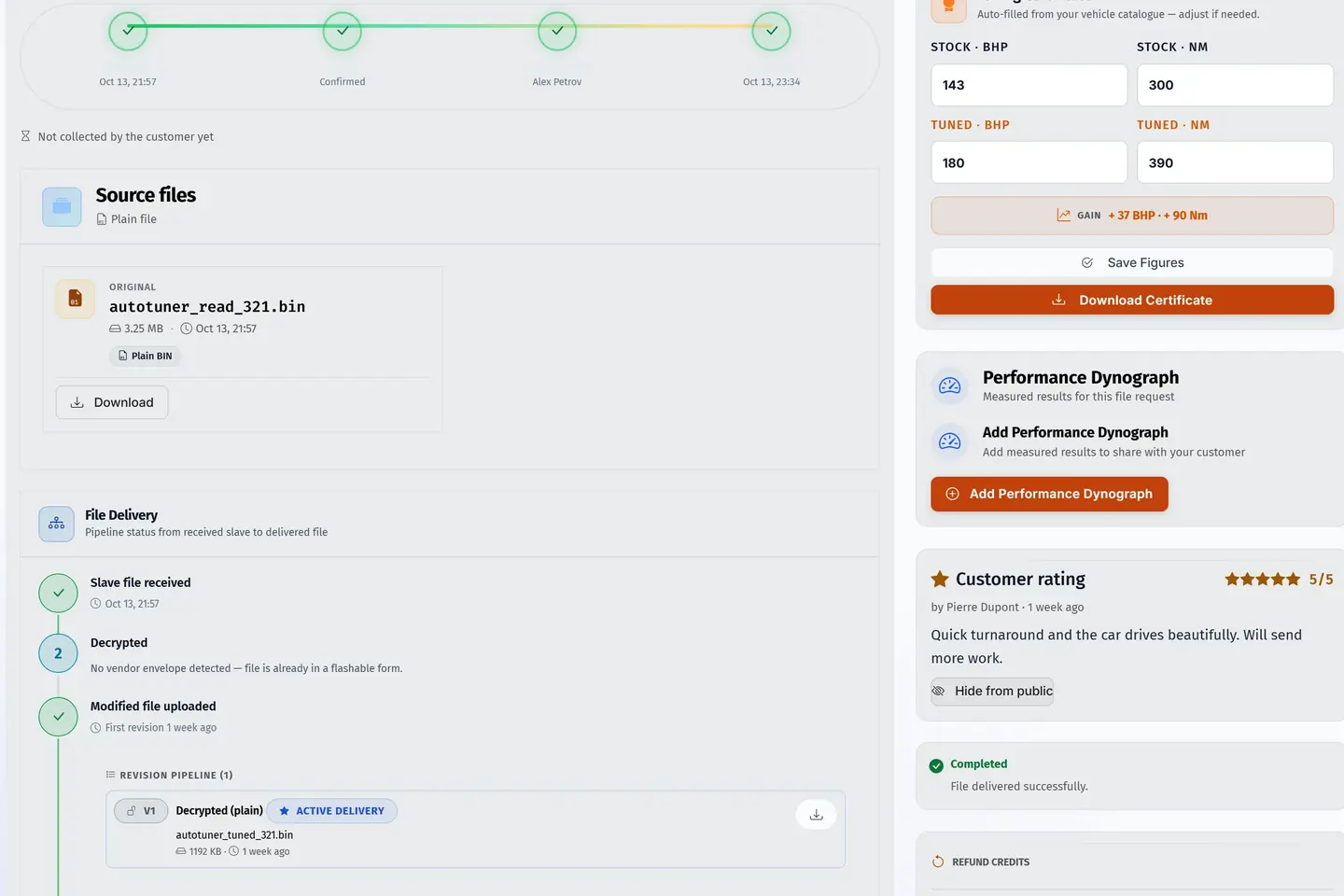
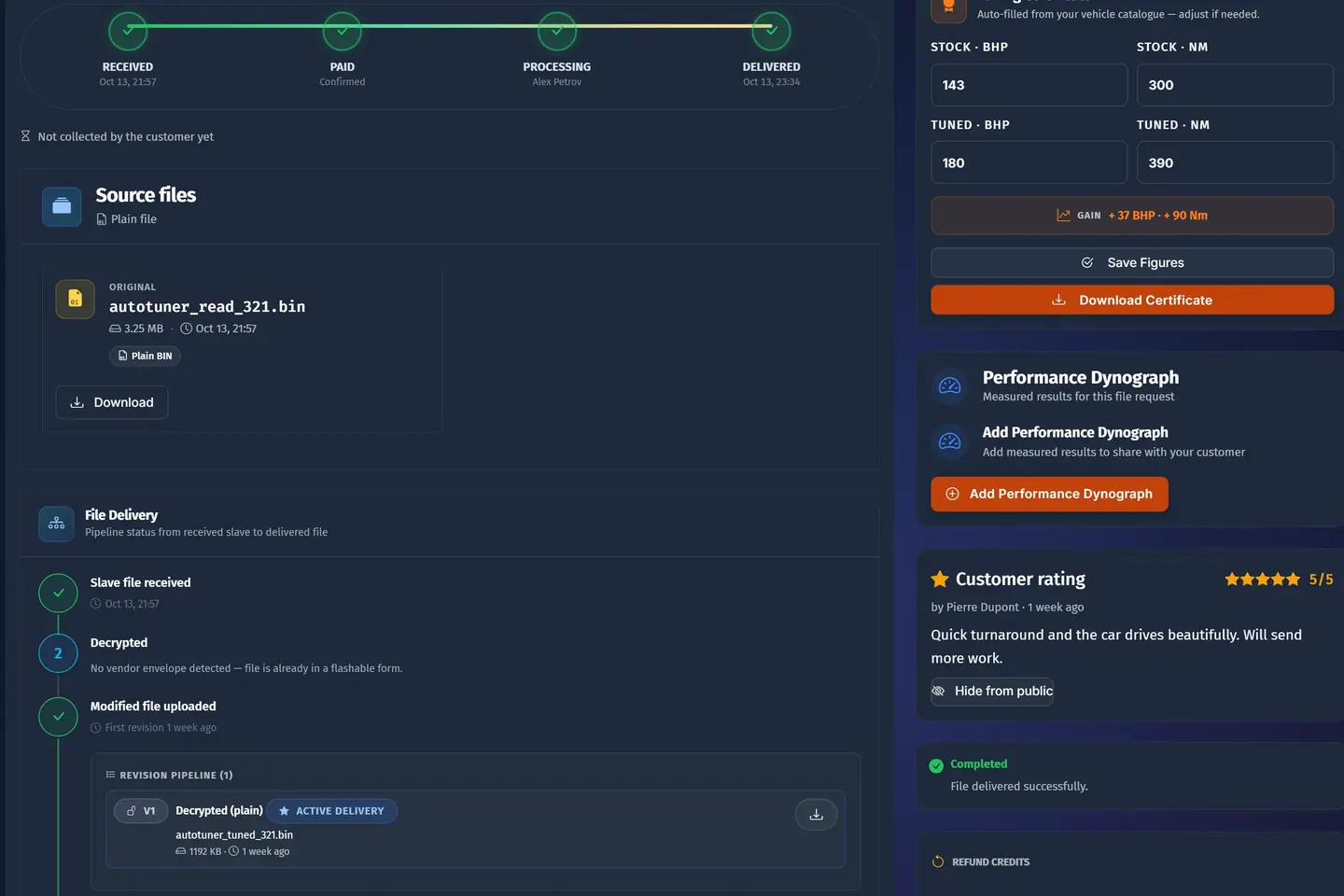
- 1The read, as it came inThe original file kept with the job; an encrypted file is decrypted if you are its master.
- 2Every step of the fileReceived, decrypted when needed, tuned, delivered, each with its time.
- 3Stock against tunedPower and torque before and after, filled in from your figures.
- 4A certificate in your brandThe customer downloads it with the file, your name on top.
A sample shop; your portal carries your name.
The job then leaves the queue for the Request History, and the next job moves up by itself.
A job that arrives complete is half done. The other half is the tuning.
What if the customer wants a change?
The garage flashes the van, drives it and wants the response a little softer low down. With free revisions on, the garage presses Request revision on the completed job and asks in its own words. The request is filed, the same words go into the job's conversation, and the job goes back into the active work, flagged as waiting for a reply.
The revised file goes out from the same delivery box and lands on the same job as a new revision. The earlier ones are kept. When the tuner delivers it, he is asked which services the revised file carries, so the library files it under the right work. Free revisions stop after a fixed number on one job, so a single car cannot turn into a week of work.
What is left behind when the job is done?
More than the shop used to keep. The customer has the tuned file, every revision and an invoice for the credits that paid for it. The shop has the job in All Requests, where it is found months later by the plate, the VIN or the name, with the read, every file delivered and everything that was said.
With delivered files added to the library, the shop also has a finished tune on its shelf, with its original and the services it was delivered for. The next time exactly that read comes in for work that fits, the answer may already be there.
And the money is settled. The payment was confirmed by the provider, the credits were counted, the invoice has its number, and the job was paid before anybody opened it. A few days into the next month, the shop can upload the provider's statement in Reconciliation and see that what was collected is what the portal recorded.
From the garage's side, the whole thing was a card payment, one form and a download. From the shop's side, it was one job, opened once.
Questions
Does the customer get an invoice for every job?
The invoice is written for the credit purchase, when the payment is confirmed. The job is then paid from the customer's balance.
Can I take payment first from some customers and after delivery from others?
No. When customers pay is one choice for the whole portal.
What if the portal suggests the wrong car from the file?
The suggestion is only a suggestion. The customer or the tuner confirms it, and the customer can name the car by plate or step by step instead.
Does the tuner hear a sound for every new job?
Only with a portal page open and the sound for jobs left on. For a closed browser, use push or Telegram.
Is the customer's earlier file lost when a revision is delivered?
No. The revised file lands on the same job as a new revision, and the earlier ones are kept.
Just need a file tuned? Our own engineers tune a read from any tool for €60 a file, every extra included. Our file service ›
Read next
-
 How fast should a file service answer?What customers expect, what you can honestly promise, and how to run Express and Urgent jobs so that the work paid for speed is the first to be seen.
-
 Credits or card: how should customers pay for files?Credit packs bring money in early and suit regulars; card per job suits everyone else. How to run both without confusing anyone, and what to watch out for.
-
 How do you move a file service off WhatsApp?WhatsApp gets a file service started, then starts to cost it. How to move customers to a portal without losing any, and what to do about the ones who refuse.
Name your portal. It is ready in under a minute.
Pro: today you pay this month in full, or only the days left if the 1st is less than 10 days away; then €60 on every 1st.
- Your name and logo
- Files from any tool
- Updates done for you
- Moving in free on paid plans
You can change your portal's address from your account at any time, or add another to the same portal, free. More are coming: tunerengine.co.uk, tunerengine.uk and tunerengine.info, then new short ones made for portals.