Dealers and growth
How does a master set up its first dealers in a day?
How a master tuner puts its first dealers on portals of their own in one working day: the rules, the brand, the prices, the account and the tool activations.

In short
Decide the rules once, before the first dealer joins: what a new dealer may do, how it is billed and what happens when its account reaches zero. Then add each dealer from one form, and let each one put its own name and prices on its portal while you watch the first job come through.
A master with two tuners has been taking files from a handful of workshops for years. The files come by email and chat, the prices live in one person's head, and the money is a spreadsheet that is opened on the last Friday of the month. This spring, the same master decided to give its first dealers a portal each, under each dealer's own name, and to do it in one working day. This is that day, step by step, with the page of the portal that does each part.
What should be decided before the first dealer joins?
The rules, because the portal applies them from the first job. On the master's portal they live in one place: Settings, then Dealers, then What your dealers may do. The dealers page describes every line there. Three decisions matter on the first morning.
The first is what a new dealer starts with. The master ticks the features a dealer portal has on the day it joins, in the same groups a dealer's own Features tab shows: own tuning, the file tools, AI, the workspace, the dealer hubs and the dashboard widgets. That list is what a new dealer may do, and it is applied the moment a new dealer is linked.
The second is how a new dealer is billed. The portal offers a flat rate per job, a rate per modification, a rate per credit, the master's own price list, or nothing at all, where the two businesses settle between themselves. Our master chose a rate per modification, because its dealers sell very different work. Whichever way is chosen, the charge is worked out when the job comes in and written on the job, so a rate changed later never touches an old job.
The third is when a dealer may send with no money. There are three answers: always, not once the account is at zero, or up to a credit limit. The master picked the middle one for new dealers. A dealer at zero is held, the job waits on the dealer's own portal, and it goes on by itself when a top-up is recorded. Nothing is lost, and the tuners work on paid files only.
One thing to know before you start: these settings are the starting point for dealers that join after you set them. A dealer already with you keeps what it has until you change it on its own page. So set them first, then add dealers.
How is a dealer added?
From one form. The owner of the master portal opens Dealers in the menu and presses Add a dealer. The form asks for the portal's address, the business name, the owner's name and email, and the package. If the master holds a free dealer seat, it is used. If every seat is taken, the form shows what one more costs, and the portal is made once the payment is in.
The dealer gets an email, sets a password and connects itself. On the master's side, the dealer's row shows when it was last seen, so the master knows it is in without ringing to ask. Only the owner of the master portal can add a dealer or close one. Staff can rename a dealer, write notes on it and record a payment.
Our master added all five before lunch. Each took a few minutes, most of it spent checking the spelling of an email address.
| Step | Who does it | Where |
|---|---|---|
| The rules for new dealers | The master's owner | Settings, Dealers, What your dealers may do |
| The portal itself | The master's owner | Dealers, Add a dealer |
| Name, logo and colours | The dealer | Settings, Brand and look |
| The price list | The dealer | Modification Pricing |
| The first top-up | The dealer | Your account, Add credits |
What does the dealer do on its own portal first?
It makes the portal its own. A dealer portal is a tuning business in its own right, with its own customers and its own name on every screen. The dealer opens Settings, then Brand and look, and starts with the name, the logos and the business details. The brand page walks through all seven sections.
The portal name is the one that matters most: it is in the browser tab, beside the logo, on the sign-in page and under the sign-off of every email. Then come two logos, one for dark backgrounds and one for light, and the small icon for the browser tab. After that the dealer picks a theme and sets the main colour. The portal works out the text on the buttons, so the dealer only chooses the colour.
The master's advice to its dealers was short: name, both logos, one colour, and send yourself a test email to read on a phone. Everything else in the look can wait for a quiet evening.
Two things the look does not do, and it is better to say so on day one. It does not remove the small "powered by" link, and it does not put the portal on the dealer's own domain. Those are add-ons of their own.
Whose prices do the dealer's customers see?
The dealer's. This surprises some masters. A dealer portal has its own price list, written by the dealer for its own customers, and what the dealer pays the master is a separate matter between the two portals.
The dealer writes its list in Modification Pricing: a service for each thing it sells, with a name, a price in credits and the engine and file type it applies to. The pricing page covers the rest: a surcharge for the ECUs that take more work, a cell in the Pricing Matrix where one service costs more on one ECU, and a tier for each group of customers promised a rate.
There is one rule that catches new dealers. The order form sells only what has been priced. Until at least one stage has a price, the form takes no files and says so to the customer. Our master sent each dealer a starting list by email the week before, so on the day each dealer typed in its own figures and had a working form within the hour.
The dealer also decides when its own customers pay, for example whether credits are needed to send. The customer sees one final price for their car before they send the file, and the request keeps the price it was quoted.
How does the first job travel from the dealer to the master?
A customer of the dealer orders on the dealer's portal. The job is then sent on to the master, by hand or by itself. Most dealers who do not tune switch on sending new jobs to the master automatically, so nobody has to open each job and press a button.
The dealer also chooses what travels with a job. It can send everything, or only the car and the work. In the second case the master gets the vehicle, the original file and the work asked for, while the customer's name, contact details and payment stay on the dealer's portal. A dealer who worries about its customer list can choose that and still get its files tuned.
On the master's side the job arrives in the queue like any other, with the charge already written on it. The tuner does the work. If the tuner has a question, it is written on the job and reaches the dealer's portal, as long as messages are passed between dealer and master. The tuned file goes back the same way and is delivered under the dealer's name. The dealer's customer never sees the master.
By mid-afternoon, four of the five dealers had sent a test job each. The fifth was at the dyno and sent one the next morning.
How does the dealer see what it owes?
In Your account, a row in the dealer's own menu. The dealer account page shows it from the dealer's chair: the balance, about how many files it still covers, any limit on what the dealer may owe, and the statement line by line. Each charge carries the dealer's own request number, the car and the services ordered.
When the balance runs low, the dealer presses Add credits, picks one of the master's packs or types an amount, and chooses how to pay. A card payment is confirmed the moment the dealer comes back from checkout, and a job that was held for credit goes on its way by itself. For this to work, the master puts its Stripe key for dealer top-ups in place. A dealer who pays by bank transfer declares it with a reference, and it shows as awaiting master until the master confirms it by hand.
On the master's side, each dealer's row opens the same statement: every job billed, every payment recorded and every correction, with the running balance. Both sides read the same line.
Set the rules before the first dealer, not after the first argument.
It helps to be clear about what the portal does not do here. Recording a payment writes a line on the dealer's statement; it does not move money. The portal works out what a dealer owes, and the invoice is the master's to send.
Can the dealers buy tool activations from the master too?
Yes, if the master sells them. The activation shop keeps a register of tools by serial and opens a shop for them. One setting says who the shop serves: the master's own customers, its dealer portals, or both. With dealers putting activations on account switched on, an activation a dealer buys goes on the same running account as its files.
The dealer finds it under the Activations tab of Your account. It types the serial, picks the product and presses Pay, at its trade price, shown beside the retail one. The master answers on the same page. Our master left this for the second week, once the files were flowing, and that order worked well: one new thing at a time.
What does the end of the first day look like?
Five rows on the Dealers page, each with a last-seen time. Five portals with five different names and colours. A test job from most of them, charged at the agreed rate the moment it arrived. And a statement for each dealer that started at its first top-up.
The next morning the master changed one dealer on its own page: a higher credit limit for a workshop it had known for ten years. That is the pattern for the months that follow. The rules cover every new dealer, and a dealer's own page covers the exceptions, when one earns more or pays late.
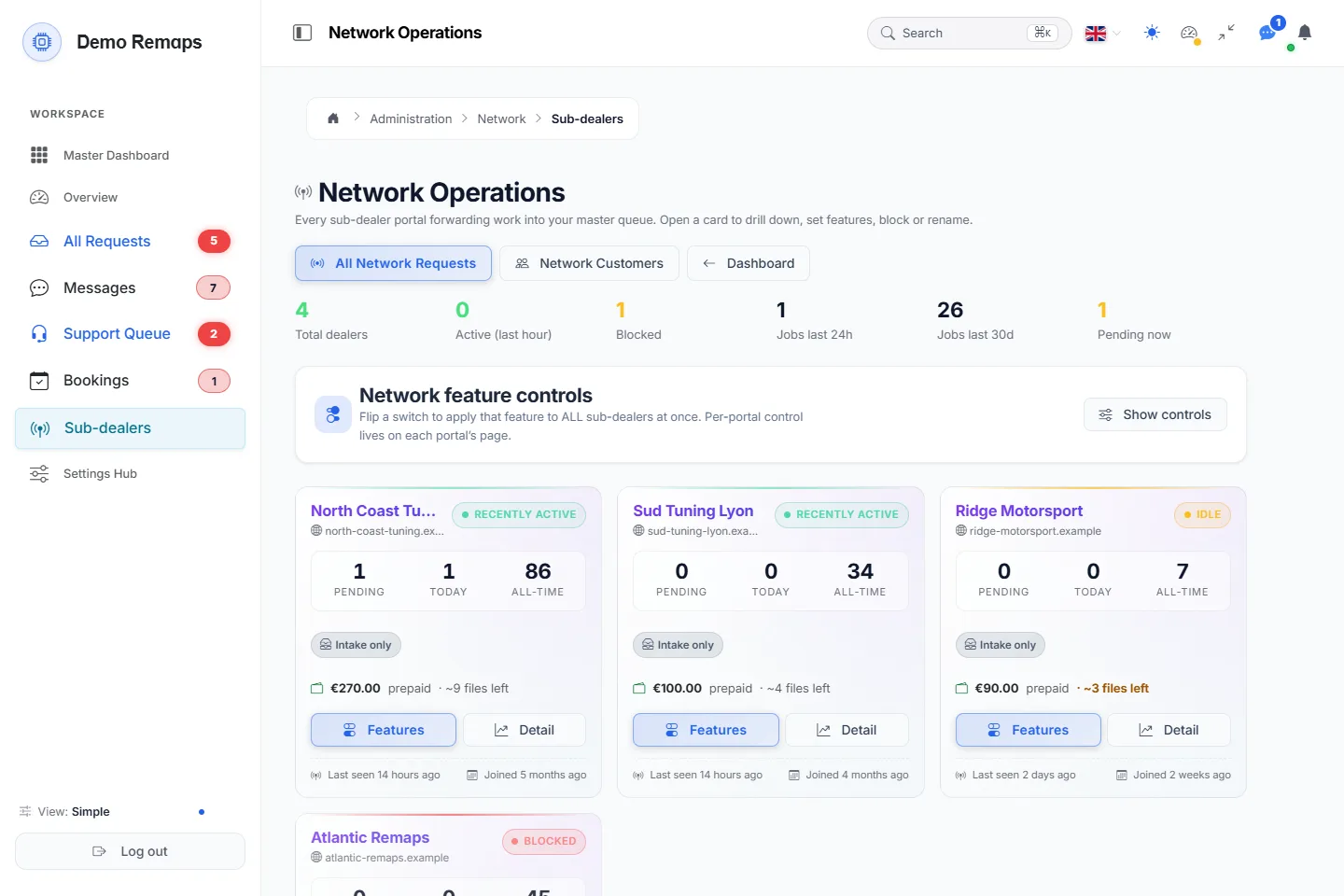
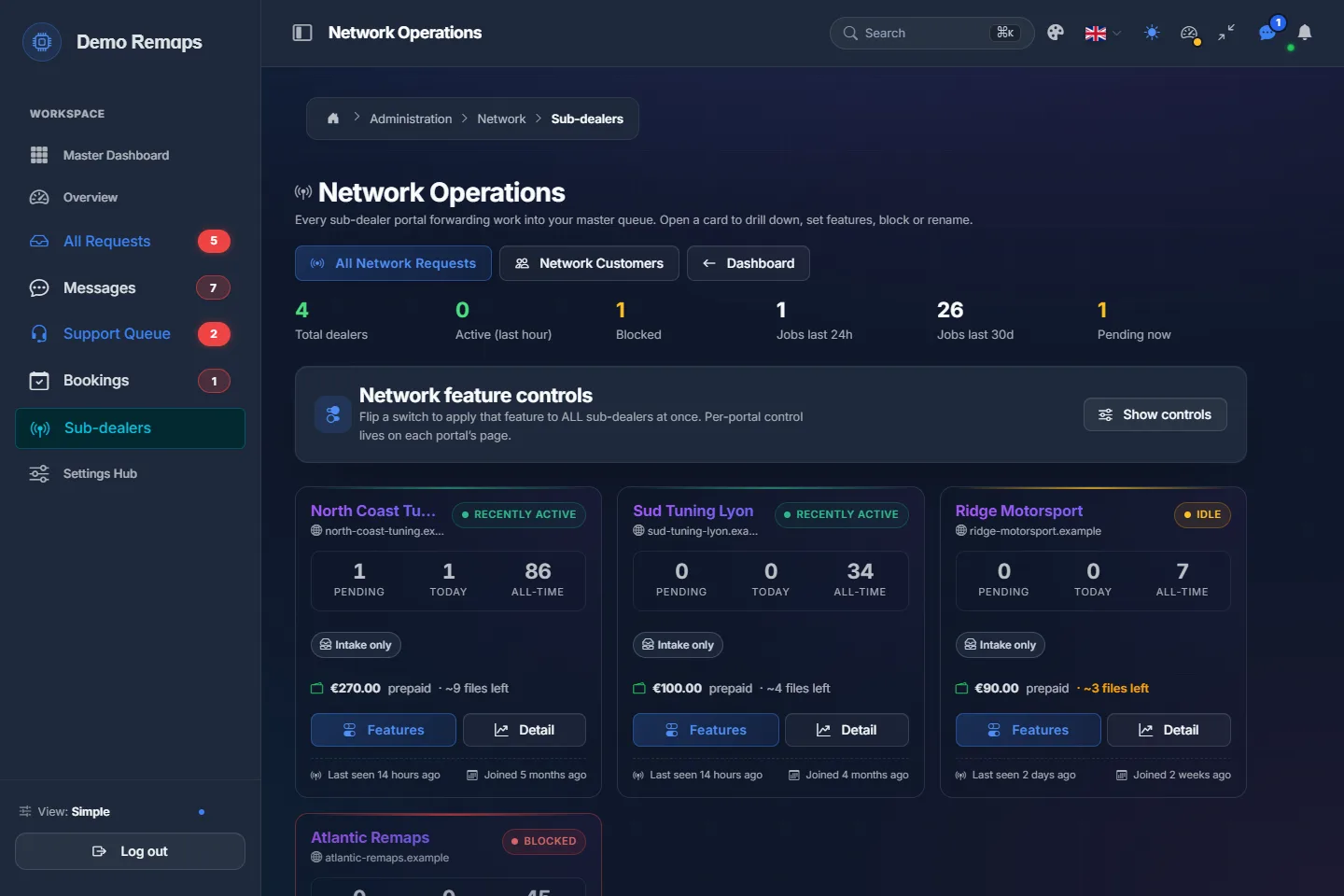
- 1Your network at a glanceDealers, who is active, jobs today and this month, what is pending now.
- 2One switch for every dealerTurn a feature on or off for all your dealers at once, or one by one.
- 3Each dealer's balance and jobsPrepaid balance, files left, pending and done, with its features and detail.
A sample shop; your portal carries your name.
Questions
Do I have to set every rule before adding a dealer?
No, but the rules under What your dealers may do apply to dealers that join after you set them. A dealer already linked keeps what it has until you change it on its own page.
Can a dealer keep its customers' names from the master?
Yes. Under What travels with a job, the dealer can send only the car and the work, and the customer's name, contact details and payment stay on its own portal.
What happens to a job when a dealer's account is at zero?
With the rule set to hold at zero, the job waits on the dealer's portal and is sent on by itself when a top-up is recorded.
Does the portal send the dealer an invoice for its files?
No. The portal works out what each dealer owes and keeps the statement. The invoice is yours to send.
Who can add or close a dealer?
Only the owner of the master portal. Staff can rename a dealer, write notes on it and record a payment.
Just need a file tuned? Our own engineers tune a read from any tool for €60 a file, every extra included. Our file service ›
Read next
-
 How does a master tuner's dealer network work?What a dealer network is, how files move from a dealer's customer to the master and back, who owns what, and what to set up before you sign your first dealer.
-
 How should a master tuner bill its dealers?Per file, credits, monthly statements or a mix: how a master charges a dealer network without spreadsheets or arguments, and who pays for what.
-
 What is a white label file portal, and what should you check?White label should mean your customer never sees another company's name. What to check on screens, emails, invoices and downloads before you trust the claim.
Name your portal. It is ready in under a minute.
Pro: today you pay this month in full, or only the days left if the 1st is less than 10 days away; then €60 on every 1st.
- Your name and logo
- Files from any tool
- Updates done for you
- Moving in free on paid plans
You can change your portal's address from your account at any time, or add another to the same portal, free. More are coming: tunerengine.co.uk, tunerengine.uk and tunerengine.info, then new short ones made for portals.